

A mixed shipment can contain several vehicle applications, paired parts and separate hardware bags. If the receiving team sees only a carton count and broad descriptions such as “carbon accessories,” allocating products to customer jobs becomes a guessing exercise.
A useful carbon fiber packing list connects shipment references, carton identifiers, exact product versions, sales units and physical contents. Keep your customer-job allocation linked to that record without confusing it with the supplier's own packing information.

Concept illustration.
Separate the supplier record from your job map
Ask which information the supplier can provide and in what format. Then add your own customer-job reference in your receiving system if it is not part of the supplier's document. The same carton may contain products for several jobs, and one job may span multiple cartons.
Do not require unnecessary personal customer data on external packaging. A business job reference can help your team allocate parts without printing a customer's full details on every package.
Use a clear line structure
| Field | Purpose |
|---|---|
| Shipment and order reference | Links the goods to the confirmed order |
| Carton identifier | Locates the item within the shipment |
| SKU and version | Identifies the specific product supplied |
| Sales-unit quantity | States how many pieces, pairs or kits were ordered |
| Physical contents | Explains components and associated hardware |
| Dealer job reference | Assigns the item internally to the correct customer task |
| Receiving status | Records checked, missing, damaged or pending items |
Treat this as a proposed worksheet. It does not imply every supplier already provides each field or a barcode system. Agree the usable format before dispatch.
Clarify kits that cross carton boundaries
If a kit is split between cartons, identify the relationship explicitly. A front lip in one carton and its required hardware in another should still trace to the same order line. Do not mark the job ready for installation merely because the largest visible component has arrived.
For counting rules, use the kits-versus-individual-parts guide. A carton count is not a substitute for checking the defined sales unit and contents.
Receive against the record
First compare the received carton count and identifiers with the shipping information. Then document visible carton condition. As products are unpacked, match references and physical contents, preserving packaging and evidence where a problem is observed.
Report discrepancies precisely: identify the carton, order line, expected content and actual finding. The large-part shipping checklist provides related receiving guidance. Do not modify a questionable part just to see whether it belongs to another job.
Keep partial shipments visible
A packing list for one shipment should not imply the complete original order has been fulfilled. Track shipped, received and outstanding quantities separately. When a later carton arrives, reconcile it against the remaining balance rather than opening a new disconnected record.
The delivery-planning guide helps keep supply milestones clear. For local allocation, only release a customer job when the required parts and documentation are available, not when an arbitrary percentage of the order has arrived.
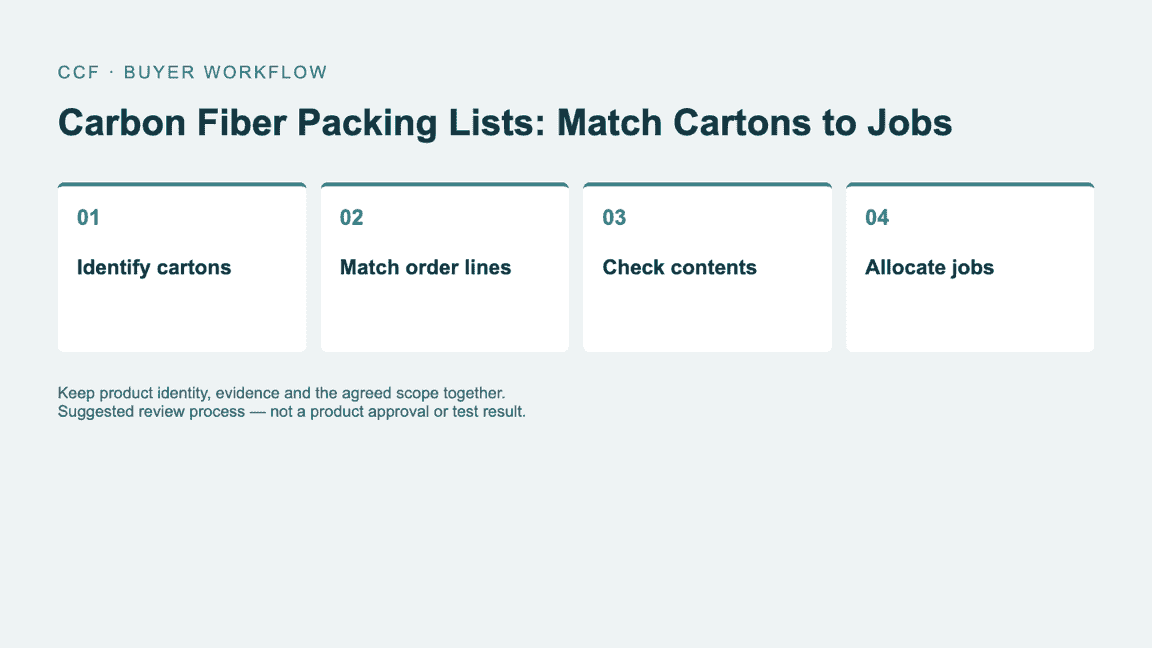
Suggested buyer workflow. Follow the product-specific specification and agreed order terms where applicable.
Worked carton-to-job mapping
Use this record as a buyer working tool. Examples and sample labels below are illustrative, not CCF inspection, order or test records.
| Record | Example or required entry |
|---|---|
| Carton A | One complete mirror-cap pair for Job 1, using the confirmed SKU. |
| Cartons B and C | One multi-section kit for Job 2, with the contents of each carton listed separately. |
| Receipt exception | If C is missing, record Job 2 as incomplete even though B has arrived. |
These carton names are illustrative. Keep the supplier carton identity intact and add your own job mapping as a linked field, so both teams can discuss the same shipment.
Questions buyers ask
Can the packing list replace the product specification? No. It identifies what is packed; the specification and accepted order define what those products should be.
Must each customer job have its own carton? Not necessarily. The packing plan should protect the goods and the records should make allocation clear. Separate-carton requirements need agreement before shipping.
For the related buying decisions, see One Piece, One Pair or One Kit? Understanding Carbon Fiber Product Quantities and Carbon Fiber Damage Claims: Photos and Records Dealers Should Collect.
Make the receiving process part of the order
Send CCF your mixed-order list and any carton-identification requirements. Ask what packing information can accompany the shipment. Resolve the mapping before dispatch so your receiving team can move products into the correct customer jobs with fewer questions.
Send an Inquiry
Include the article title, selected parts, quantity and delivery country.